
Coding
SQL Server 2012 introduced groundbreaking features that transformed database management for developers and enterprises. These 10 innovations boost performance, simplify administration, and enable advanced analytics—making them essential for modern data professionals.
Columnstore Indexes for Massive Performance Gains

If your analytical queries are slower than a dial-up connection, columnstore indexes in SQL Server 2012 might be your lifesaver. This feature completely redefined data warehousing by storing data in columns instead of rows, delivering 10x faster query speeds for large-scale analytical workloads.
Designed for OLAP (Online Analytical Processing), columnstore indexes compress data efficiently and scan only relevant columns—ideal for aggregations, reporting, and business intelligence. Unlike traditional B-tree indexes, they excel with millions of rows and complex queries, making them a game-changer for enterprises drowning in data.
Perfect for data analysts, BI teams, and developers building reporting dashboards, columnstore indexes turn slow queries into real-time insights. ⚡
Contained Databases for Simplified Deployment

Tired of deployment headaches tied to the master database? SQL Server 2012’s contained databases solve this by isolating data environments—no more tangled dependencies or environment-specific configurations.
With contained databases, you gain true portability: move databases between dev, test, and production without manual logins or server-level permissions. The feature supports two modes—partial (simplified) and full (self-contained)—letting you choose between minimal setup or complete autonomy. This is a game-changer for DevOps pipelines, where environments must mirror each other seamlessly.
Ideal for cloud deployments and multi-tenant applications, contained databases let teams deploy independently while maintaining security. ⚡
AlwaysOn Availability Groups for High Availability

Downtime isn’t just a risk—it’s a business killer. SQL Server 2012’s AlwaysOn Availability Groups redefine high availability with synchronous and asynchronous replication, ensuring your data stays synchronized across servers even during failures. Unlike traditional mirroring, this feature supports up to 8 secondary replicas, letting you scale read workloads while maintaining zero data loss.
The magic happens with automatic failover—when your primary server goes down, a secondary takes over in seconds, minimizing disruption. You also get readable secondaries, allowing offloaded reporting queries to run without impacting production performance. For enterprises running mission-critical applications like banking or healthcare systems, this means compliance-ready uptime and disaster recovery built into the core.
Perfect for organizations where continuous availability isn’t optional—financial institutions, e-commerce platforms, or any system where downtime translates to lost revenue. ⚡
Power View for Interactive Data Visualization

Tired of wrestling with static Excel reports or clunky BI tools? Power View in SQL Server 2012 brings self-service data visualization directly into your database, letting non-technical users create stunning interactive dashboards with just a few clicks.
This browser-based tool integrates seamlessly with SQL Server Analysis Services (SSAS) and supports touch-friendly gestures, making it perfect for modern workspaces. Drag-and-drop functionality lets you build 3D charts, maps, and pivot tables from raw data—no coding required. The real magic? Real-time filtering lets users drill down into trends without IT intervention.
Perfect for business analysts, marketers, and executives who need to explore data trends without waiting for IT. ⚡
SQL Server Data Tools for Unified Development
Tired of juggling multiple tools for database development? SQL Server Data Tools (SSDT) merges the best of Business Intelligence Development Studio (BIDS) and SQL Server Data Tools (SSDT) into a single, powerful IDE. This unified environment eliminates the chaos of switching between tools, giving you a seamless workflow for database projects.
With SSDT, you get TFS integration for version control, schema comparisons to track changes, and project deployment with zero manual scripting. The database project model supports unit testing, refactoring, and even static code analysis—features previously scattered across separate tools. Whether you're designing tables, writing stored procedures, or deploying to production, SSDT keeps everything in one place.
Perfect for teams managing complex database projects, SSDT reduces deployment errors and speeds up collaboration. If you're working with SQL Server 2012 or later, this tool is a game-changer for streamlining your workflow. ✨
Contained Database Users for Granular Security

Tired of juggling Windows logins for every multi-tenant database? Contained Database Users in SQL Server 2012 lets you manage authentication inside each database—no more relying on server-level logins. This feature creates a clean separation, letting each database handle its own users and permissions independently.
With contained database users, you can define credentials directly within a database, reducing administrative overhead and improving security. It supports SQL authentication (password-based) and Windows authentication (via contained user mappings), giving you flexibility. Perfect for SaaS providers or enterprises hosting multiple client databases on a single server.
Developers and DBAs managing multi-tenant applications will love this—it simplifies permission management while keeping sensitive data isolated. No more cross-database permission conflicts! ✨
Sequence Objects for Advanced Number Generation
Tired of identity columns limiting your numbering flexibility? SQL Server 2012’s sequence objects introduce a game-changer for enterprise systems, replacing rigid auto-increment with customizable, gap-resistant numbering schemes.
These objects support cyclic sequences (restarting after max value), multiple sequences per table, and gap handling—critical for audit trails, invoice numbering, or multi-tenant systems. Unlike identity columns, sequences persist across restarts and can be shared across tables. The syntax is intuitive: CREATE SEQUENCE dbo.InvoiceNumbers AS INT START WITH 1000 INCREMENT BY 1;
Perfect for financial systems, inventory tracking, or multi-region deployments where numbering must align with business rules—not technical limitations. ⚡
Windows Server Core Support for Lightweight Installations
If your SQL Server environments are bogged down by bloated installations, Windows Server Core in SQL Server 2012 delivers a game-changing solution. By stripping away unnecessary components, this lightweight installation slashes your server's footprint by 30%, freeing up critical resources for performance-critical workloads.
The integration with Windows Server Core eliminates GUI overhead while maintaining full SQL Server functionality. You gain reduced patching requirements, faster restarts, and improved security through a smaller attack surface. For virtualized environments, this means more VMs per host and lower licensing costs—without sacrificing reliability.
Ideal for enterprise data centers and cloud deployments, this feature lets sysadmins consolidate workloads while cutting maintenance time. Perfect for organizations running high-density SQL Server farms where every CPU cycle counts. ✨
SQL Server Data Quality Services for Clean Data
Tired of spending hours manually scrubbing messy data before analysis? SQL Server Data Quality Services (DQS) automates profiling, cleansing, and standardization—saving teams weeks of grunt work while ensuring consistency across your datasets.
This enterprise-grade toolkit includes data profiling to identify anomalies, cleansing rules for standardizing formats (like phone numbers or addresses), and matching policies to merge duplicate records. It integrates seamlessly with SQL Server Integration Services (SSIS) for end-to-end data workflows, and supports domain-specific business rules to enforce your organization’s data standards.
Ideal for legacy system migrations or multi-source integrations, DQS turns chaotic data into a reliable foundation for reporting and analytics. 💡
SQL Server AlwaysOn Failover Cluster Instances
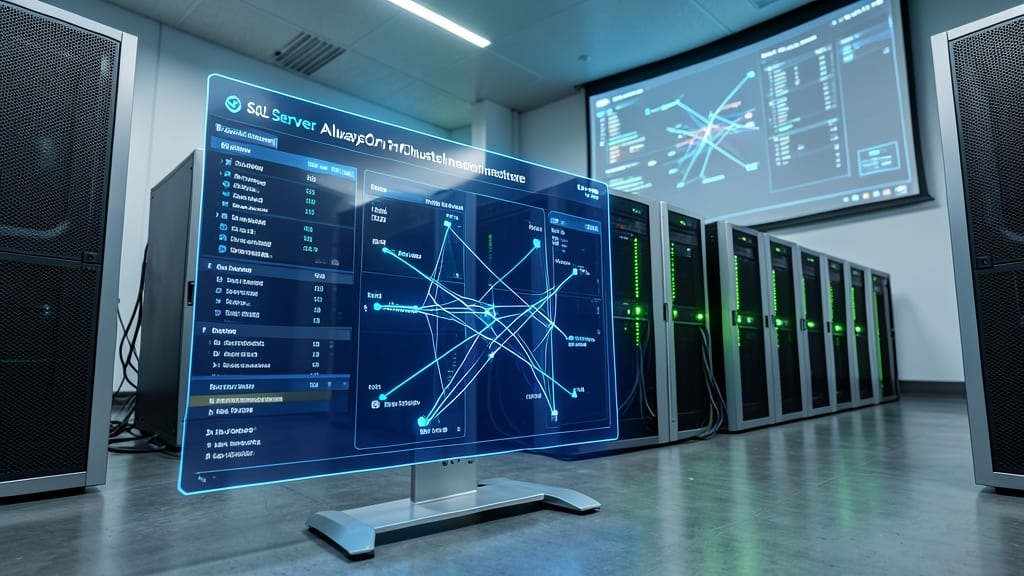
When every second of downtime costs thousands, SQL Server AlwaysOn Failover Cluster Instances delivers the resilience enterprise apps demand. Unlike traditional clustering, this feature integrates automatic failover directly into the SQL Server engine—no third-party tools required.
With sub-second failover between nodes and support for up to 16 nodes per cluster, it maintains transactional integrity while minimizing data loss. The shared-disk architecture eliminates single points of failure, and quorum configurations ensure even network partitions won’t disrupt operations. For mission-critical workloads like banking or healthcare systems, this is the ultimate uptime guarantee.
Perfect for organizations running 24/7 operations where manual failover isn’t an option, this feature turns "high availability" from a buzzword into a measurable reality. ⚡